Large language models (LLMs) are no longer tested only in the cloud. For development teams working on AI systems, the ability to run and compare models locally is becoming increasingly important - especially when evaluating performance, memory usage and deployment constraints.
At Kalmia, we’ve been experimenting with running LLMs on AMD hardware, specifically using the Framework Desktop with an AMD APU.
Along the way, we’ve shown in practice that certain AI workloads - including Kalmia’s AI assistant - can be run locally on compact, affordable hardware that SMEs can realistically deploy and operate.
Below is a practical overview of what we use, what works well today, and where the ecosystem is still evolving.
Kalmia’s development setup
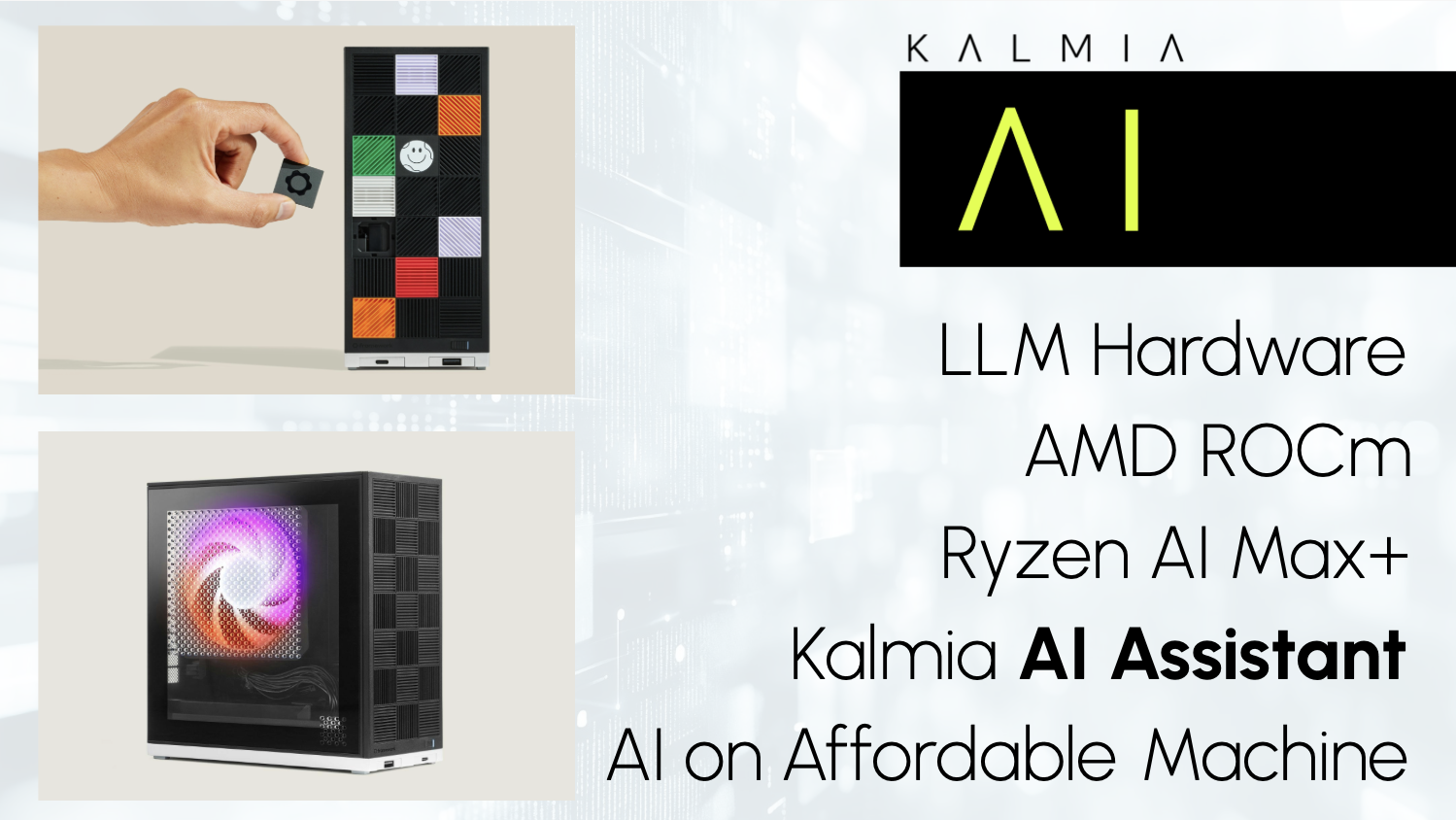
We have practical experience running LLMs on a Framework Desktop powered by an AMD Ryzen AI Max+ 395 APU with integrated AMD Radeon 8060S graphics and 128 GB of shared memory.
A key advantage of this system is its configurable memory split between CPU and GPU. Using firmware settings, up to 50% of system memory can be allocated to the GPU, allowing us to load and test significantly larger models than would be possible on typical developer machines.
This setup enables our team to:
-
rapidly test and compare different LLM models,
-
evaluate memory usage and inference behavior,
-
experiment locally without relying on cloud GPUs.
In its compact size (150 × 81.5 × 40.5 mm), the machine delivers strong performance while remaining power-efficient, operating at up to 120 W TDP. A setup that’s interesting even beyond pure development use cases.
Compute engines on AMD: Vulkan vs. ROCm
On this hardware, there are currently two viable compute engines for running LLM frameworks. Each comes with clear trade-offs.
-
Vulkan: stable and cross-platform
Vulkan is a cross-platform, open standard originally designed for graphics and general-purpose GPU computing.
In practice, Vulkan:
-
works across a wide range of GPUs,
-
provides low-level access to GPU resources,
-
not specifically designed for machine learning workloads,
-
widely supported and relatively stablebroad hardware compatibility,
-
predictable behavior,
-
solid stability on AMD APUs.
Despite not being ML-native, Vulkan currently offers the most reliable inference path for local LLM testing on AMD APUs.
-
ROCm: ML-focused, but still maturing
ROCm is AMD's equivalent to NVIDIA's CUDA - a dedicated software stack for GPU computing and high-performance workloads, optimized for machine learning workloads.
It’s primarily designed for professional and server-grade GPUs, with expanding support for consumer GPUs and APUs.
While ROCm is the more ML-focused option in theory, its practical usability on this specific APU is still evolving.
LLM frameworks: Ollama and vLLM
To run and evaluate LLM models locally, we tested two frameworks.
-
Ollama: development-friendly and flexible
For running models locally, Ollama is currently our preferred tool for experimentation.
It provides:
-
easy setup,
-
a simple developer experience,
-
fast model switching,
-
fast iteration during testing.
At the moment, Ollama with a Vulkan backend is the most stable way to run LLM inference on this AMD APU. It enables consistent inference without frequent breakage.
-
vLLM: production-oriented, with limitations
vLLM is a more production-oriented framework, designed for:
-
optimized VRAM usage,
-
Better suited for multi-user inference,
-
higher-throughput serving,
-
does not support the Vulkan backend.
However, vLLM currently does not support a Vulkan backend, and ROCm support is still evolving. Because of this, it is not yet a viable primary option for this specific hardware setup, though we actively monitor its progress.
Both Ollama and vLLM currently have limited or evolving ROCm support, especially on consumer-grade APUs.
Current state of ROCm on Ryzen AI Max+ 395
The AMD Ryzen AI Max+ 395 APU has recently gained ROCm support (ROCm versions 7 and 7.1) for use with Ollama and vLLM. In our experience, however, this support is not reliable enough for everyday development work.
We observed:
-
instabilities during inference,
-
inconsistent behavior across updates,
-
situations where ROCm failed to load LLM models entirely
Since December, certain Linux kernel updates have caused ROCm to stop working reliably on this setup. At the time of writing, we are awaiting updated Linux kernel releases and ROCm 7.2, which is expected to address several of these issues.
Practical takeaway from development
One thing became very clear while working with this setup: the technically best option is not always the most usable one.
One practical insight from this setup: it’s not just useful for development. Kalmia’s AI assistant can realistically be deployed on hardware like the AMD Ryzen AI Max+ 395, which is available in the ~€ 2,500 price range - making on-premise AI feasible even for smaller businesses.
Right now:
-
Framework Desktop is a very capable and efficient local LLM testing machine
-
Vulkan backend provides stable inference on AMD APUs
-
Ollama is currently the most practical framework for local experimentation
-
ROCm shows strong potential but is still catching up in stability on consumer APUs
For development work, stability matters more than peak performance. Our choices reflect that reality.
Outlook: AMD’s position in the AI compute ecosystem
ROCm is a rapidly evolving platform, and AMD is investing heavily in closing the gap with CUDA. While NVIDIA still dominates the AI tooling ecosystem, AMD is positioning itself as a serious alternative - particularly for developers and teams looking for cost-efficient, power-efficient local AI compute.
For now, AMD-based local LLM development requires more patience and experimentation than CUDA-based setups. But the trajectory is clear, and improvements are arriving quickly.
Once ROCm becomes more stable on APUs, we expect:
-
better hardware utilization,
-
more viable local and on-premise AI deployments,
-
greater flexibility for teams building outside the Nvidia ecosystem.
Until then, we continue to test, evaluate, and adapt - choosing tools that allow us to work effectively today, not just in theory.
Kalmia’s expertise to the rescue
If you’re exploring local LLM deployments or on-premise AI, it often helps to start with an honest discussion about constraints, stability and real-world requirements.
At Kalmia, we design, test and deploy these setups in practice - and help teams evaluate what’s actually feasible today, without the hype and without the shortcuts.